
Dim-to-warm light mode allows you to make lights change colors as you dim them - when the brightness gets lower, the color gets warmer.
You can find the Dim-to-warm mode in the "White" light mode section.
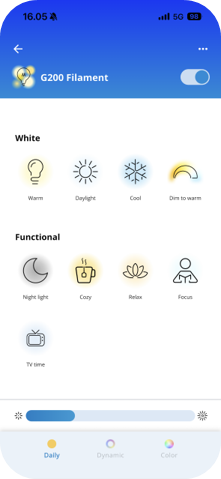
When lights are set to Dim-to warm mode, they will shift from bright, crisp white toward dimmed amber tones as you adjust the brightness via app, voice or accessories.
Note:
- The Dim-to-warm light mode only works properly on lights with firmware version 1.37.0 or later. If the lights are running an older firmware version, the light color will be cooler, or more bluish, than it should be.
- The Dim-to-warm light mode is only available for lights that are white-tunable.
- Older lights that only feature Wi-Fi connectivity do not support Dim-to-warm mode.